
Build an MES trading bot without coding
Quanntick lets you build your own bot for S&P 500 futures (MES and ES) without writing code. You start from Quanntick's master signals, set the rules in Bot Studio, test them in the Research Lab and practice on paper before anything reaches a broker.
Steps
- 1
Create a free account
Sign up at quanntick.ai. No credit card is required, and the 14-day trial includes everything.
- 2
Choose the master signal your bot follows
Your bot follows one of Quanntick's two algorithms: the Trend Follower (swing setups, around the clock on weekdays) or the Day Trader (US cash session only, flat before it closes).
- 3
Set your rules in Bot Studio
Choose the size, stop, targets, hours, days and filters in forms. Each setting shows its allowed range and Quanntick's own value beside it. You can start from the Featured bot and change what you want.
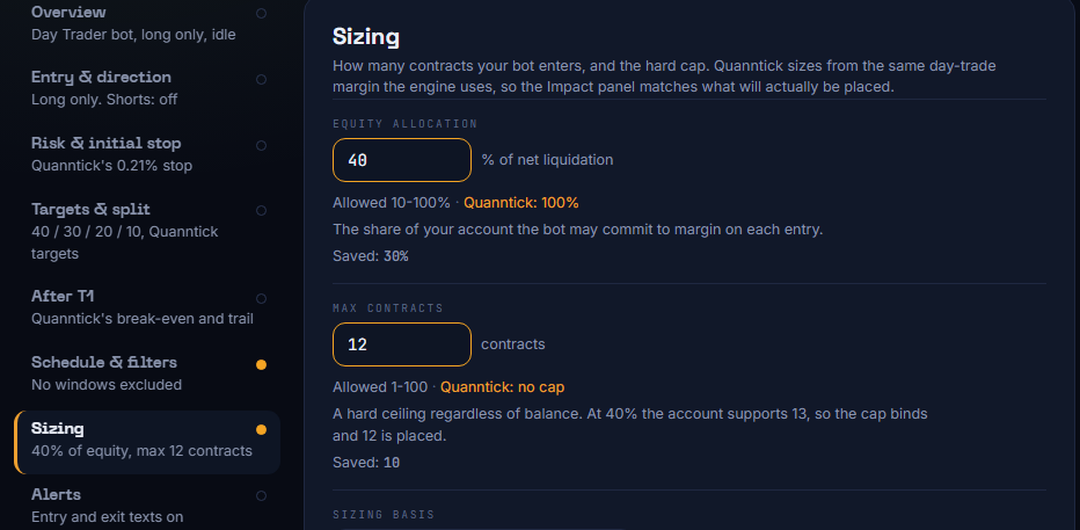
Bot Studio: the sizing section of a Day Trader bot (a fixture account). - 4
Save the bot and test it
Run it through the Research Lab to see what each setting changes on history. See the backtest guide below.
- 5
Practice on paper
Run the bot on paper with live market data and simulated money. Nothing goes to a broker.
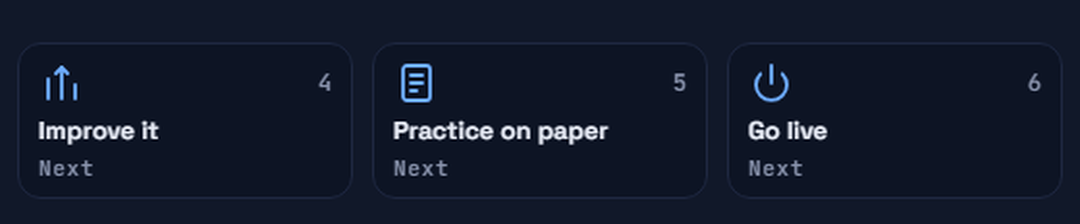
The Quanntick path: improve it, practice on paper, then go live. - 6
Go live only when you choose to
Connect your own TradeStation or tastytrade account and switch on auto-trading yourself. You can turn it off at any time.
Limitations
- Quanntick trades S&P 500 futures only (ES and MES). It does not trade Nasdaq futures, equities, options, forex or crypto.
- Your bot follows Quanntick's master signals. You set size, stops, targets, hours and filters; entry timing comes from the algorithm you choose. Pro members can also set their own initial stop and target levels and their own stop after the first target.
- Signal Builder (define supported entry conditions) is research only today: Pro or the Lab add-on, with paper and live deployment planned and timing subject to change.
- A stop is not a guaranteed maximum loss. In fast markets an order can fill beyond it.
More guides
Quanntick is a technology platform, not a fund or an investment advisor, and makes no promise of any return. Research Lab results are hypothetical. Futures trading involves substantial risk of loss and is not suitable for every investor.